
9 Keyword Research Techniques for Beginners (Complete SEO Guide 2026)
If you want to rank on Google in 2026, you must master keyword research techniques for beginners. Without proper keyword research, even the best content won’t get traffic.
Keyword research is the foundation of Search Engine Optimization (SEO). It helps you understand what your audience is searching for and how you can create content that matches their intent.
In this guide, you’ll learn 9 powerful keyword research techniques that beginners can use to find high-traffic, low-competition keywords.
1. Understand Search Intent Before Choosing Keywords
Before selecting any keyword, understand the search intent behind it.
There are four main types of search intent:
-
Informational (e.g., “what is SEO”)
-
Navigational (e.g., “Google Search Console login”)
-
Transactional (e.g., “buy SEO tools”)
-
Commercial investigation (e.g., “best SEO tools in 2026”)
Choosing the right search intent improves your chances of ranking higher in search results. Always align your content with user intent for better SEO optimization.
2. Start with Google Autocomplete

One of the easiest keyword research techniques for beginners is using Google Autocomplete.
When you type something in Google’s search bar, it suggests related searches. These suggestions are based on rea
l user queries.
Example:
Type “keyword research for…” and Google may suggest:
-
keyword research for beginners
-
keyword research for blog
-
keyword research for SEO
These are real search terms with demand.
3. Use “People Also Ask” Section
The “People Also Ask” box on Google is a goldmine for long-tail keywords.
It shows related questions that users frequently search for.
For example:
If you search “keyword research techniques,” you might see:
-
What are the best keyword research tools?
-
How do beginners find keywords?
These questions can be turned into blog headings to improve your on-page SEO.
4. Target Long-Tail Keywords
Beginners often make the mistake of targeting broad keywords like:
-
SEO
-
Digital marketing
-
Blogging
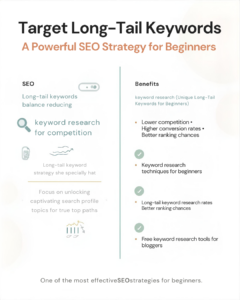
These keywords are highly competitive.
Instead, focus on long-tail keywords like:
-
keyword research techniques for beginners
-
how to do keyword research for a new website
-
free keyword research tools for bloggers
Long-tail keywords have:
-
Lower competition
-
Higher conversion rates
-
Better ranking chances
This is one of the most effective SEO strategies for beginners.
5. Use Free Keyword Research Tools
You don’t need expensive tools in the beginning.
Here are some free keyword research tools:
-
Google Keyword Planner
-
Ubersuggest
-
AnswerThePublic
-
Google Trends
These tools help you find:
-
Search volume
-
Keyword difficulty
-
Related keyword ideas
Using these tools improves your overall SEO keyword research strategy.
6. Analyze Your Competitors
Competitor analysis is a smart keyword research technique.
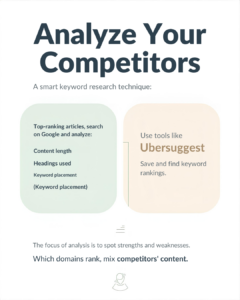
Search your target keyword on Google and analyze:
-
Top-ranking articles
-
Content length
-
Headings used
-
Keywords placement
You can use tools like Ubersuggest or Ahrefs (free version) to see which keywords your competitors are ranking for.
Then create better, more detailed content.
7. Check Keyword Difficulty Before Targeting
Keyword difficulty (KD) shows how hard it is to rank for a keyword.
If you’re a beginner with a new website, target keywords with:
-
Low keyword difficulty
-
Moderate search volume
Targeting high-competition keywords can waste your time and effort.
Always balance search volume and competition for better SEO results.
8. Use Google Trends for Trending Keywords

Google Trends helps you find trending topics in your niche.
You can compare:
-
Keyword popularity
-
Seasonal trends
-
Geographic interest
For example, “AI in digital marketing” is growing rapidly in 2026.
Using trending keywords increases your chances of ranking fast.
9. Organize Keywords into Clusters
Keyword clustering is an advanced yet beginner-friendly strategy.
Instead of writing one article for one keyword, create content clusters.
Example:
Main keyword:
-
keyword research techniques for beginners
Supporting keywords:
-
free keyword research tools
-
how to find low competition keywords
-
keyword research checklist
This improves:
-
Internal linking
-
Topical authority
-
Website ranking
Google loves structured and well-organized content.
Bonus Tips for Better Keyword Research in 2026
Here are some extra tips to boost your SEO:
-
Always place your primary keyword in:
-
Title
-
Meta description
-
First 100 words
-
Headings
-
URL
-
-
Maintain keyword density naturally (avoid keyword stuffing).
-
Focus on creating helpful, in-depth content.
-
Update old blog posts regularly.
Remember, keyword research is not about traffic only — it’s about attracting the right audience.
Final Thoughts
Mastering keyword research techniques for beginners is the first step toward SEO success.
If you apply these 9 techniques consistently, you can:
-
Find low competition keywords
-
Rank higher on Google
-
Increase organic traffic
-
Grow your digital marketing website
SEO takes time, but smart keyword research gives you a strong advantage.
Start small. Stay consistent. Keep testing.
And remember — in digital marketing, data is power.
Visit My Website – https://kartikdigitalmarketer.com
Follow In Instagram – https://www.instagram.com/_saatvik._.77
Please let me know if you’re looking for a writer for your site.
You have some really good articles and I feel I would be a good asset.
If you ever want to take some of the load off, I’d absolutely love to write some content for your blog in exchange for a link back to mine.
Please blast me an email if interested. Thanks!
Hey there just wanted to give you a quick heads up. The text in your content seem
to be running off the screen in Firefox. I’m not sure if
this is a formatting issue or something to do with internet browser compatibility but I thought I’d post to let you know.
The layout look great though! Hope you get the issue solved soon. Kudos
Hello There. I discovered your blog the use of msn. That is an extremely smartly written article.
I’ll make sure to bookmark it and return to read extra of your useful info.
Thanks for the post. I’ll certainly comeback.